Experience without evidence
Phrases such as “responsible” or “worked on…” do not show outcomes, scope, or impact.
01 · The problem
Most students do not lack potential. They struggle to explain what they did, what changed because of their work, and why they fit a specific opportunity.
Phrases such as “responsible” or “worked on…” do not show outcomes, scope, or impact.
The same CV is sent to different roles without relevant vocabulary or a clear priority.
The document depends on a template, one computer, or paid software.
Curriculumify does not promise employment. It helps students present their experience and capabilities more clearly.
02 · Why the CV improves
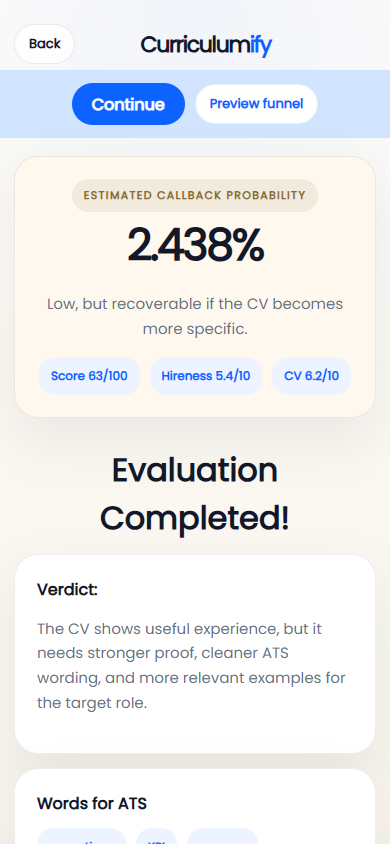
Curriculumify does more than change the design. It guides the student to uncover concrete information and turn it into useful recruitment content.
Review clarity, relevance, structure, ATS vocabulary, and the strength of the evidence.
Use one question at a time to recover achievements, responsibilities, numbers, and context.
Turn activities into specific achievements that are easy to explain in an interview.
Organise the content into a clean, consistent CV that is ready to export.
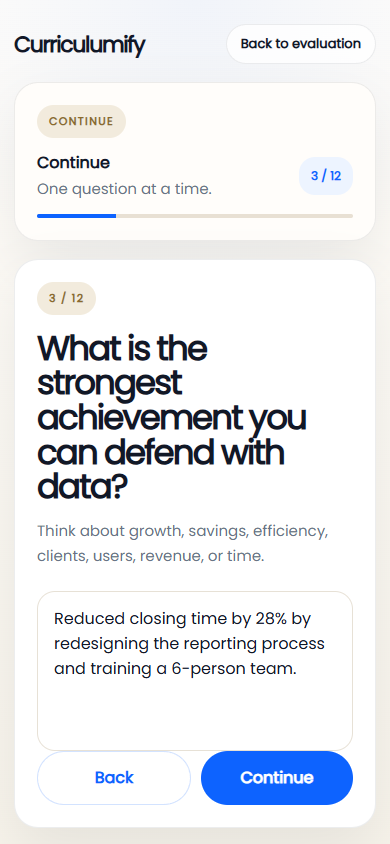
Helped with reports and team tasks.
After Reduced closing time by 28% by redesigning reporting and training a six-person team.03 · Editor and PDF
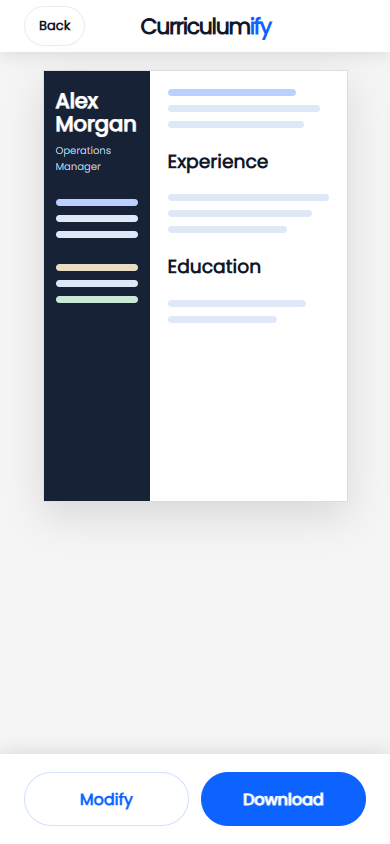
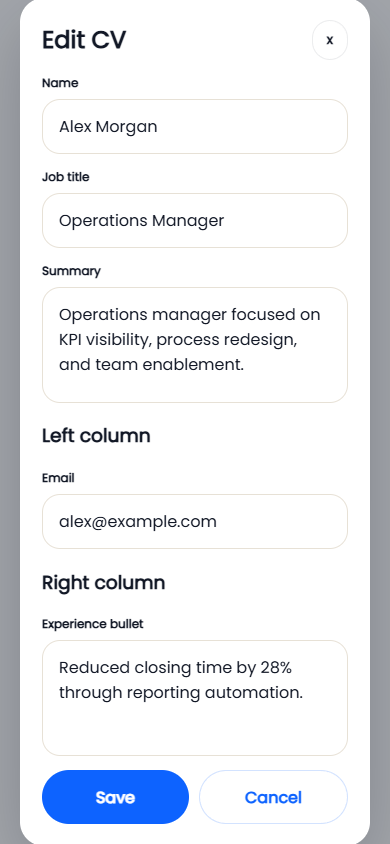
Students work directly in the browser. They can return whenever they need, update the content, and generate a PDF that is ready to send.
Name, profile, experience, education, and key points are updated through simple fields.
Students see the result before downloading and can correct it immediately.
The CV downloads in a professional format that preserves the design.
Works in a modern browser on a phone, tablet, Chromebook, Mac, or PC.
No installation · No Microsoft Office licence · Internet connection required
04 · For the institution
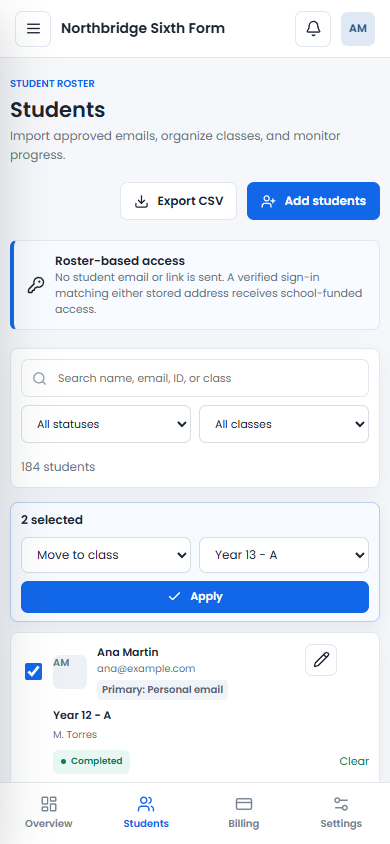
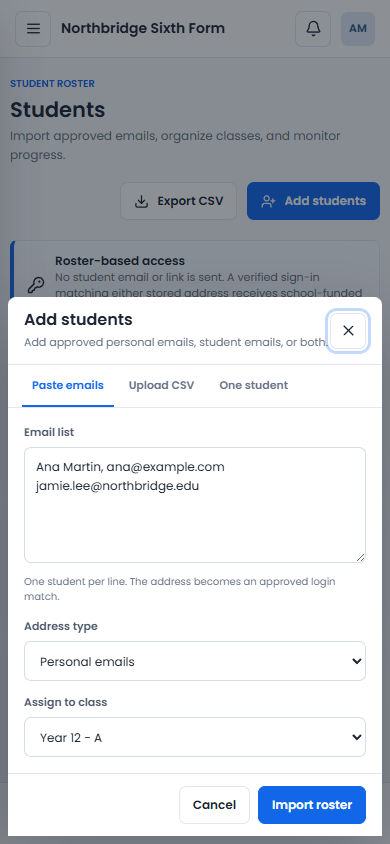
The institution imports approved addresses and organises students into classes. Curriculumify recognises a verified sign-in; student communication remains in the institution’s hands.
Personal email, student email, or both can be used. Curriculumify sends no link or email to students.
Teachers and counsellors can be assigned only to the classes they are responsible for.
Move class, pause, restore, or remove access without editing every student individually.
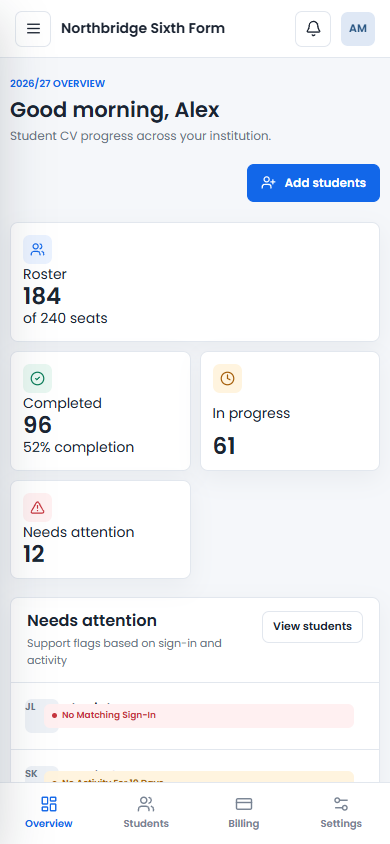
The dashboard shows who has completed, who is working, and who may need support.